After opening your new project you will see a resource window. This window shows all the resources in your hymn.
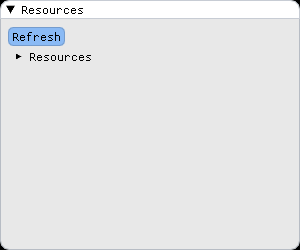
Navigating the resource list
The resource window shows the file structure of the project and all the resources in it. Folders have an arrow to the left of their name showing if they're expanded or collapsed.

Click on the arrow or the folder name to expand the folder and show its contents. By expanding the Resources folder, you can see that the hymn was created with a simple default scene called Scene.scn. This is currently the only resource in the hymn.

Clicking on an already expanded folder will collapse it, hiding its contents.
Adding new folders
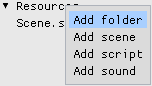
You can add a new folder by right clicking on an existing folder and selecting Add folder.
A window will show asking you for the name of the new folder.
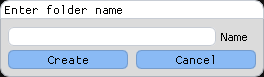
Enter a name, for example TestFolder, and click on Create.
Removing folders
To remove the folder you just created, right click on it and select Remove Folder.
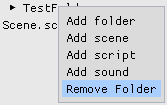
You can only remove folders that are empty. You can't remove the base Resources folder.
Editing a resource
Clicking on a resource in the resource list will open that resource in the appropriate editor. For example, clicking on the default scene, Scene.scn, will open this scene in the scene editor.